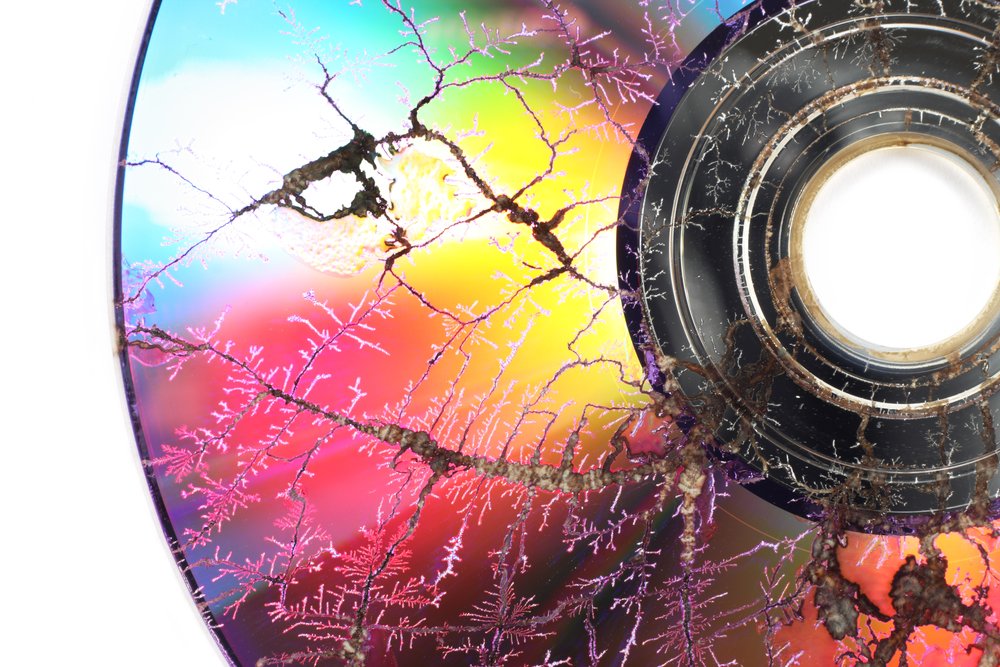
The flickering images of old home movies, the crackle of forgotten audio, the vibrant hues of faded photographs—we've all felt that pang of nostalgia, followed by the urgency to convert these precious memories into a format that lasts. But transferring your VHS tapes to digital files, or scanning those old photo albums, is only the first step. The true challenge, and often the most overlooked, lies in the Digital Storage, Organization & Preservation of Converted Media for Longevity.
Think of it this way: you wouldn't pour your life savings into a rickety safe in a leaky basement and call it secure. Yet, many of us treat our irreplaceable digital memories with similar neglect, trusting them to a single hard drive or an unmonitored cloud account. Digital files, despite their ethereal nature, are far from immortal. They require active, thoughtful care to survive the relentless march of technological obsolescence, the insidious creep of data corruption, and the ever-present threat of accidental deletion.
This isn't about becoming a tech guru; it's about understanding the fundamental principles that ensure your converted treasures—from family videos to historical documents—remain accessible, authentic, and intact for future generations. We’re going to demystify digital preservation, turning what often feels like an overwhelming technical challenge into a clear, actionable strategy.
At a Glance: Key Takeaways for Digital Longevity
- Digital files aren't inherently permanent. They need active preservation, not just storage.
- Backups aren't enough. True preservation requires multiple, diverse, and monitored copies.
- The 3-2-1 Rule is your golden standard: 3 copies, 2 different media, 1 offsite.
- Resilient IT storage systems (like those used by professionals) prioritize redundancy and recovery.
- Monitoring data integrity (fixity checks) is crucial to detect and repair corruption early.
- Obsolescence is constant. Plan for regular migrations of both storage systems and file formats.
- Offline copies are your "fire break" against widespread online data loss.
- Documentation and organization are as important as the storage itself.
- Don't assume cloud storage is automatically preservation. Understand your vendor contract, especially exit strategies.
- Doing something is always better than doing nothing at all. Start small, but start smart.
Beyond the Box: Why Digital Preservation Isn't Just "Saving Files"
For decades, preserving media meant physically protecting artifacts: climate-controlled vaults for film, specialized handling for audio tapes. With the advent of digital, especially converted media, the game changed. We moved from physical degradation to the silent, invisible threats of bit rot, file corruption, and the rapid obsolescence of storage technologies.
Twenty years ago, digital preservation often involved burning CDs or storing files on discrete tapes, each requiring manual migration as new formats emerged. Today, the landscape is dominated by sophisticated, resilient IT storage systems. These aren't just bigger hard drives; they're comprehensive solutions, often involving servers, built-in redundancy (like RAID), and recovery mechanisms. They allow for massive volumes of data, online access, and, critically, decouple your digital material from its specific storage mechanism.
While IT systems offer faster access, greater scalability, easier management, and can be more cost-effective at scale, they come with a crucial caveat: they still become obsolete. This isn't just about file format migration (e.g., converting a WordPerfect document to a PDF); it's about the underlying storage system itself needing periodic upgrades.
It's vital to distinguish between standard IT storage, which is designed for active, everyday use with general backups, and the more stringent demands of long-term preservation. Preservation systems require:
- Higher geographic redundancy: Copies spread far and wide.
- Stronger disaster recovery plans: What happens when a data center floods?
- Longer-term planning horizons: Thinking decades, not just years.
- Active monitoring of data integrity: Constantly checking files for corruption.
Meeting these needs depends on your context—be it a personal archive, a small business, or a large institution. But the core principles remain universal.
The Bedrock Principles of Resilient Digital Preservation
Ensuring your converted media survives for the long haul hinges on a few non-negotiable principles. These aren't just technical specifications; they're a mindset for safeguarding your digital legacy.
1. Redundancy and Diversity: More Than Just a Copy
Imagine your precious home videos, now digitized and residing on a single external hard drive. What happens if that drive fails? Or if your house catches fire? True resilience means creating multiple independent copies and storing them in diverse ways:
- Geographically separated locations: A copy in your house, one at a friend's place, and another in the cloud. This protects against localized disasters like fire or flood.
- Mix of online and offline media: An online copy (like cloud storage) offers easy access, but an offline copy (like an external hard drive stored securely) acts as a crucial "fire break" against problems that can automatically propagate across online systems, such as ransomware or accidental mass deletions.
- Diverse storage technologies: Don't put all your eggs in one basket. Use a combination of spinning hard drives, solid-state drives (SSDs), or even tape libraries for extremely large archives. Each technology has different failure modes and lifespans.
2. Fixity, Monitoring, and Repair: The Digital Guardian
How do you know if a file hasn't silently corrupted over time? This is where fixity checks come in. Fixity refers to the certainty that a digital object has not been altered or corrupted.
- Checksums: These are unique "digital fingerprints" generated for each file (e.g., MD5, SHA-256). If even a single bit in the file changes, its checksum will also change, immediately flagging corruption.
- Regular Monitoring: Periodically run checksums on all your copies.
- Automated Repair: If corruption is detected in one copy, you can use an uncorrupted copy to replace it. Store checksums not only with the material itself but also in separate databases for independent verification.
3. Technology Watch, Risk Assessment, and Proactive Migrations
Digital technologies are like butterflies—beautiful, essential, but short-lived. Storage technologies typically have lifespans of 3-5 years. This means:
- Constant Vigilance: Keep an eye on emerging technologies and, more importantly, the impending obsolescence of your current systems.
- Vendor Viability: If you're using a commercial service, monitor the vendor's health and any changes in their offerings.
- Proactive Migrations: Don't wait for a system to fail or become unreadable. Plan regular migrations of your digital materials to new, supported storage systems. This isn't a file format migration; it's moving your data from one underlying storage solution to another, ensuring the digital material itself remains untouched and accessible.
4. Consolidation, Simplicity, Documentation, and Audit Trails
Clutter isn't just a physical problem; it's a digital preservation nightmare.
- Consolidate: Minimize the proliferation of old media and scattered files. Get everything onto the fewest necessary preservation systems, while still maintaining redundancy.
- Simplicity: Complex systems are harder to maintain and prone to error. Opt for straightforward solutions where possible.
- Documentation: This is crucial. Document everything: how the files were acquired, how they were transferred, the setup of your storage systems, and every operation performed on them.
- Provenance and Audit Trails: This documentation provides an unbroken chain of custody and an audit trail, vital for ensuring the authenticity and integrity of your digital materials over time.
Demystifying Storage Reliability: What the Numbers Don't Always Tell You
You've probably seen impressive reliability metrics: cloud durability like "99.999%," hard drive "Mean Time Between Failure (MTBF)" of 1 million hours. While these numbers sound reassuring, they can be misleading.
- Vendor statistics are often models, not long-term observations. They can be over-optimistic.
- Individual failures are common. 5-15% of hard drives, for instance, might fail within a year.
- The biggest threat isn't individual component failure, but correlations. This is where system parts or copies are not independent. Examples include:
- Manufacturing faults: A batch of hard drives from the same factory, used in a redundant array, could all fail simultaneously due to a shared defect.
- Software bugs: A bug in a storage management system could corrupt data across multiple drives or copies.
- Untested backups: A backup process that consistently fails or copies corrupted data without detection.
- Lack of system decoupling: A malicious attack or human error (like accidental mass deletion) that propagates across all online copies because they're too tightly integrated.
These correlation factors often pose a far greater risk than the statistical likelihood of a single component failure.
The Solution: Plan for failures. Assume they will happen. The most effective strategy is the one we've already emphasized: create multiple independent copies of your digital material in different locations, using different technologies where possible, and actively and regularly check their data integrity to detect problems regardless of cause or location.
Crafting Your Multi-Copy Strategy: The 3-2-1 Rule and Beyond
To effectively mitigate the risks to long-term preservation, adopt a robust multi-copy storage strategy. Good practice involves:
- Multiple independent copies: At least three complete copies.
- Geographically separated copies: Stored in different physical locations to protect against regional disasters.
- Copies using different storage technologies: For example, one on an external HDD, another on an SSD, and a third in cloud storage.
- A combination of online and offline storage: The offline copy is your critical "fire break."
- Active monitoring: Regularly checking data integrity for quick problem detection and correction.
This leads us to the highly applicable and widely recommended 3-2-1 Rule of Digital Preservation:
- 3 copies of your files: The original and two backups.
- On at least 2 different storage mediums: E.g., internal hard drive, external hard drive, cloud.
- With at least 1 copy in a different disaster risk geographical region: E.g., home, office, cloud, friend's house.
Implementing this strategy doesn't have to be overwhelming. You can build it incrementally, balancing the costs and effort with your risk reduction goals. Remember, doing something is always better than doing nothing.
Navigating Preservation Levels: The NDSA Framework
For those seeking a more structured approach, the National Digital Stewardship Alliance (NDSA) Preservation Levels offer a useful framework, scaling from basic recovery to comprehensive, disaster-proof preservation. They categorize strategies across four levels:
Level 1 (Basic): The Foundation
- Requirement: At least two non-colocated copies, with one being offline. Content should be moved off heterogeneous, temporary media (like old flash drives) into a central storage system.
- Benefits: Provides basic recovery from system failure and makes managing your digital assets much easier. A significant step up from having just one copy.
Level 2 (Good): Solid Protection
- Requirement: At least three complete copies, with one in a different geographic location. Your storage systems and media should be well-documented.
- Benefits: Offers protection from major disasters, balances good access with strong safety, and improves efficiency and cost management through clear policies.
Level 3 (Better): Forward-Thinking Resilience
- Requirement: At least one copy in a geographic location with a different disaster threat (e.g., if one is in a flood zone, another is not). Crucially, obsolescence monitoring and migration processes for storage systems and media are in place.
- Benefits: Protects against long-term technical obsolescence and ensures continuous content access even during migrations or major disasters. This is where proactive planning really shines.
Level 4 (Best): Comprehensive & Certified
- Requirement: At least three copies in geographic locations with different disaster threats. A comprehensive plan for keeping files and metadata accessible, often aligning with trusted repository certification standards.
- Benefits: Addresses a full range of risks, from accidental loss and malicious attacks to vendor lock-in and budget instability. Provides the highest content availability and predictable costs.
Managing storage system obsolescence is the underlying thread throughout these levels. Even the most robust IT storage technologies have a short shelf life. Regular migrations to new systems are essential to prevent data loss, ensuring your digital files remain healthy and accessible.
Practical Steps for Organizing & Preserving Your Converted Media
Now that we understand the principles, let's get practical about how you can apply them to your converted media.
1. Preservation Copy vs. Derivative (Access) Copy
This is a fundamental concept in digital preservation.
- Preservation Copy: This is your archival master���the highest quality, most authentic version of your digital file, typically in a robust, non-proprietary format (e.g., an uncompressed WAV for audio, an unedited TIFF for images). This copy should be locked down, rarely accessed, and protected by your multi-copy strategy.
- Derivative (Access) Copy: This is the version you share, edit, or view regularly. It might be compressed for smaller file size (e.g., MP3 from WAV, JPEG from TIFF) or converted to a more universally accessible format (e.g., a PDF from a legacy word processor file). This protects your preservation copy from accidental changes or corruption during everyday use.
Inventorying your file formats early on will help you develop the necessary protocols for both preservation and access copies.
2. Handling Obsolete Media & Extracting Data
What about those old floppy disks, ZIP drives, or even older digital camcorder tapes?
- In-House Extraction: If you have the technical inclination and a small volume, you can acquire digital forensics hardware (e.g., external floppy disk drives, data connectors for various old media) and software (commercial, free, or open-source) to extract data yourself. This gives you maximum control.
- Outsourcing: For larger volumes, extremely fragile media, or specialized formats, consider professional media and digitization companies. Carefully weigh their costs, transfer methods, metadata capture capabilities, quality control, and the file formats they deliver. Ask about their own preservation practices.
3. Archiving Websites and Social Media
Converted media isn't just physical; it can also be born-digital. If you have websites or social media accounts you want to preserve:
- Self-Export: Many platforms offer options to export copies of your data (e.g., Facebook, X/Twitter, personal websites). These can be a starting point.
- Web Crawling Technologies: For active sites or more comprehensive snapshots, you might need to use specialized web crawling software (e.g., tools like Archive-It for institutions) or plan recurring transfers to capture changes over time.
4. The Digital Archivist: Your Preservation Partner
While you might not hire one for personal archives, understanding the role of a Digital Archivist illuminates best practices. They specialize in stewarding digital assets from creation or donation through preservation and access. They implement standards, manage transfers, ensure security, and design workflows.
A significant challenge for archivists (and a common misconception you should avoid) is the belief that web publishing or simply storing files in the cloud automatically constitutes preservation. This isn't true. Archivists often have to tactfully explain that while convenient, these methods lack the rigorous redundancy, integrity checks, and long-term planning of formal preservation.
5. Cloud Services and the All-Important Exit Strategy
Cloud storage is an excellent component of a multi-copy strategy, offering geographic separation and often robust infrastructure. However:
- You don't own the infrastructure: You're relying on a third party.
- Read the contract: Understand terms of service, data ownership, privacy, and, most critically, the exit strategy. How easily can you retrieve all your data if you decide to switch providers or if the service shuts down? What formats will it be delivered in? A lack of a clear exit strategy can lead to vendor lock-in.
Common Misconceptions About Digital Preservation
Let's bust some myths that can derail your preservation efforts:
Misconception 1: "Once it's digital, it lasts forever."
Reality: Digital files are incredibly fragile. Bit rot, file corruption, software obsolescence, and physical media failure are constant threats. Digital requires active management.
Misconception 2: "Cloud storage is automatic preservation."
Reality: Cloud storage is a component of preservation, but not preservation itself. It provides convenience and often good geographic separation, but it doesn't guarantee integrity monitoring, file format migration, or an easy exit if the vendor changes terms or goes out of business. Your data is still subject to the vendor's policies and infrastructure.
Misconception 3: "Digital files are easier to manage than physical records."
Reality: Accessioning and processing digital files can take as long or longer than physical records. It often involves digital forensics to assess file integrity, specialized software for preservation actions, and significant system transfer speeds. Furthermore, accessing born-digital files can be cumbersome as few online portals easily accommodate all formats for a seamless researcher experience.
Your Action Plan for Long-Term Digital Longevity
Securing your converted media for the long haul doesn't require a data center, but it does demand a methodical approach. Here's how to move forward:
- Inventory Your Assets: Know what you have. What types of converted media? What original formats? This helps you understand the scale of your task.
- Implement the 3-2-1 Rule: Start here. Ensure you have three copies, on two different media types, with one offsite. An external hard drive, a reputable cloud service, and a copy stored securely off-premises (e.g., at a relative's house, a safety deposit box) is a solid personal start.
- Prioritize Offline Storage: Don't underestimate the power of an offline copy. It's your ultimate safeguard against online threats like ransomware or accidental mass deletions.
- Embrace Fixity Checks: Learn to use checksum tools (many are free) and make it a habit to regularly verify the integrity of your preservation copies. Set a reminder!
- Plan for Obsolescence: Understand that your current hard drives or cloud services won't last forever. Budget for and plan regular migrations (every 3-5 years) to new, healthier storage technologies.
- Document Everything: Keep a simple spreadsheet or text file. What files are where? When were they copied? What checksums do they have? This is your audit trail.
- Understand Your Cloud Vendor: If using cloud storage, review their terms of service, especially their data retention and exit policies.
- "Doing Something is Better Than Nothing": Don't let the perfect be the enemy of the good. Even starting with Level 1 of the NDSA framework—two non-colocated copies with one offline—is a massive improvement over a single copy.
The journey of digital preservation is ongoing. It requires vigilance, consistent effort, and a willingness to adapt as technology evolves. By proactively managing your Digital Storage, Organization & Preservation of Converted Media, you're not just saving files; you're safeguarding memories, knowledge, and history for generations to come. To learn more about securing your home movies and other analog media, explore resources like All about Home 2 Movie for comprehensive guidance.
For further learning, consider exploring resources from organizations like the Council on Library & Information Resources (CLIR) and various groups that set standards for born-digital and web archives. They offer deeper dives into the institutional practices that can inform your personal preservation strategies.